Showing posts with label JavaScript. Show all posts

Thursday, November 12, 2009

via Hacker News - Some Sitepoint Article: How not to Critique a Javascript Library

(I will not link to the original trashy article.)

A modern-style library in ChambéryImage via Wikipedia

The Google Closure library [ one part of the Google Closure project http://code.google.com/closure/ ] is not bad, and will only get better. Both the Closure library and the jQuery library will grow and improve in the brave new future of first rate JavaScript compilers in web browsers
Hacker News | Some Sitepoint Article: How not to Critique a Javascript Library:
Really? You tested it? Because a 'switch' does not necessarily generate the same code as a dynamically constructed set of object properties. In Google's original example, if none of the cases match, it immediately returns 'true'. In Sitepoint's example, if the property does not match on the highest level, it must crawl the property chain on the object until it eventually reaches 'undefined'. Not to mention you are making two inner function calls and a fully dynamic property lookup (!(), hasOwnProperty, and node.tagName), none of which I believe can be calculated statically. Actually, I'm going to end this rant early, because I just read more of the article, and it looks like the author just keeps pulling random shit that he remembers reading from 'Javascript: The Good Parts' or whatever and vomiting it back up onto his keyboard.
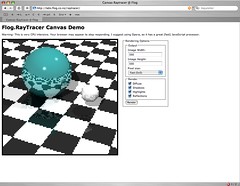
Raytracer in JavaScriptImage by schoschie via Flickr

Also, the original article has no time tests under V8 [ http://code.google.com/p/v8/ ] after passing through the Google Closure compiler. Or any time tests at all. Pathetic. Shame on Kevin Yank and Dmitry Baranovskiy.
Reblog this post [with Zemanta]

Monday, November 9, 2009

Modern JavaScript

Google's first production server rack, circa 1999Image via Wikipedia

These are exciting days for JavaScript, my note in Google Reader:
Crockford's _JavaScript: The Good Parts_ + jQuery + Google's Closure Library + Compiler = the best of modern Javascript
Very interesting article by Michael Bolin that shows what Google's Closure Library + Compiler bring to the table, and how you might change your clean JavaScript coding style:
Inheritance Patterns in JavaScript: "The Closure Library makes use of the pseudoclassical inheritance pattern,which is particularly compelling when used with the Closure Compiler.Those of you who have read JavaScript: The Good Parts by Douglas Crockford may use the functional pattern for inheritance that he espouses.

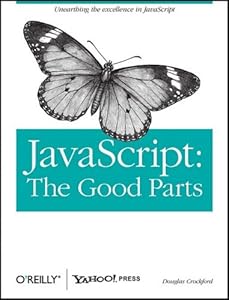
Cover of Cover of JavaScript: The Good Parts

Crockford appears to object to the pseudoclassical pattern because: 'There is no privacy; all properties are public. There is no access to super methods ... Even worse, there is a serious hazard with the use of constructor functions. If you forget to use the new prefix when calling a constructor function, then this will not be bound to a new object ... There is no compile warning, and there is no runtime warning.'

This article discusses the advantages of the pseudoclassical pattern over the functional pattern. I argue that the pattern used by the ClosureLibrary paired with the Closure Compiler removes existing hazards while I also examine the hazards introduced by the functional pattern (as defined in The Good Parts)."

Reblog this post [with Zemanta]

Thursday, March 26, 2009

Adding Google's google-code-prettify to Blogger


Guido Van RossumImage by palewire via Flickr
Wanted to be able to add highlighted code snippets, so copied how Python's Guido does it (nice example), as a stop-gap.

Blogger's support for programming code is embarrassing; zero-support given. So this is at best a partial fix. It makes use of Google's own google-code-prettify Javascript code. It is easy to use, so the whole of the docs fits easily on a single page:


Using "Blogger Control Panel | Layout | Edit HTML": just inside the "<head>" block, add these CSS and Javascript links:
<link
href='http://google-code-prettify.googlecode.com/svn/trunk/src/prettify.css'
rel='stylesheet' type='text/css'/>
<script
src='http://google-code-prettify.googlecode.com/svn/trunk/src/prettify.js'
type='text/javascript'></script>
Then add "onload='prettyPrint()'" to the opening "<body>" tag
<body onload='prettyPrint()'>
You will need to use HTML escape if the code had naughty HTML syntax characters (&,",',>,<). A good writeup: http://wiki.python.org/moin/EscapingHtml. [Don't be confused like I was: this is different functionality than the xml.sax.saxutils function quoteattr !]. You can also use an online HTML escape tool like htmlescape.net.

Then put whatever code you wish between these HTML brackets
<pre class="prettyprint"> ... </pre>
Here is a tiny snippet of Python highlighted code:
def hello(i):
print "hello"
print i
For a whitespace sensitive language like Python, it pays to take a little caution, to compensate for the typical laxness of whitespace preservation in HTML and Blogger's basic editing tools. Type or cut-and-paste the code in the "Edit Html" tab - you will get good and predictable results.

In general, when using Blogger's in browser WYSIWYG editing tools, check the "Edit Html" tab last, just to make sure that Blogger's editing tools did not strip extra spaces from your Python code
Reblog this post [with Zemanta]